Introduction
If you’re a small business owner in Miami, Fort Lauderdale, or anywhere in South Florida, you already know this truth:
You wear every hat. Sales. Marketing. Customer service. Operations.
And while that hustle is admirable, it’s not sustainable — especially if you want to grow.
That’s where a CRM for small businesses comes in.
No, it’s not just a contact list.
It’s your silent partner in growth — capturing leads, automating follow-ups, and turning one-time clients into loyal customers.
In this guide, I’ll show you how to choose, set up, and use a CRM system that works for you — not against you. Whether you’re a contractor, consultant, coach, or service-based business, this is how you start scaling without burning out.
Why Small Businesses Need a CRM (And Why Most Don’t Use One)
Let’s be honest: many small business owners avoid CRM systems because they think they’re:
- Too expensive
- Too complicated
- Only for big companies
But the reality?
A good CRM is affordable, simple to use, and built for agility — just like your business.
Here’s what happens when you don’t use a CRM:
- Leads fall through the cracks
- Follow-ups are inconsistent
- Customer history is lost in spreadsheets or memory
- Growth becomes chaotic, not strategic
And that’s exactly why a CRM isn’t a luxury — it’s a necessity.
What Is a CRM?
CRM stands for Customer Relationship Management.
At its core, it’s a tool that helps you manage every interaction with your customers — from the first “Hello” to the final sale and beyond.
But modern CRMs do more than store data. They:
- Automate repetitive tasks
- Track customer behavior
- Send personalized messages
- Schedule appointments
- Integrate with your website, ads, and social media
Think of it as your central nervous system for business growth.
Key Benefits of Using a CRM for Small Businesses
When implemented correctly, a CRM can transform how you run your business. Here’s how:
1. Never Lose a Lead Again
Every form submission, call, or message is captured automatically — no more lost opportunities.
2. Automate Follow-Ups
Set up email and SMS sequences that nurture leads while you sleep.
3. Improve Customer Retention
Track purchase history and preferences to offer personalized service.
4. Save Time on Admin Tasks
No more manual data entry. Your CRM does the heavy lifting.
5. Scale Without Chaos
As your business grows, your CRM grows with you — keeping everything organized.
How to Choose the Right CRM for Your Small Business
Not all CRMs are created equal. Here’s how to pick the one that fits your needs:
| Ease of Use | Simple interface, minimal learning curve |
| Affordability | Transparent pricing, no hidden fees |
| Automation | Email/SMS sequences, appointment booking |
| Mobile Access | App available for iOS and Android |
| Integration | Works with your website, ads, and Google tools |
For small businesses, I recommend GoHighLevel — a powerful, all-in-one platform that combines CRM, marketing automation, and funnel building at a fraction of the cost of enterprise tools.
Why GoHighLevel Is the Best CRM for Small Businesses
After working with dozens of entrepreneurs in South Florida, I’ve found that GoHighLevel consistently delivers the best ROI for small businesses.
Here’s why:
- All-in-One Platform: Website, CRM, funnels, emails, SMS, and calls — all in one place.
- Automation That Works: Set up sequences that follow up based on behavior.
- Local Focus: Perfect for service-based businesses targeting local clients.
- White-Label Option: Rebrand it as your own (great for agencies).
- Affordable Pricing: Starts at $97/month — much cheaper than hiring a VA.
Real-World Example:
A home inspector in Miami was getting 20 leads/month but closing only 3.
We set up a GoHighLevel CRM with:
- Automated SMS follow-ups
- Email sequences with inspection tips
- One-click calendar booking
Result?
12 closed deals in the first month.
How to Set Up Your CRM in 5 Simple Steps
You don’t need to be a tech expert. Here’s how to get started:
Step 1: Define Your Goals
Ask yourself:
- What do I want my CRM to do? (Capture leads? Automate follow-ups?)
- Who will use it? (Just you? Your team?)
Step 2: Choose Your Platform
For most small businesses, GoHighLevel is the best choice. Sign up and connect your domain.
Step 3: Import or Capture Leads
- Connect your website forms
- Add existing contacts (CSV upload)
- Link to Facebook Lead Ads or Google Forms
Step 4: Set Up Automation
Create sequences like:
- Welcome Sequence: “Thanks for contacting us! Here’s what to expect…”
- Follow-Up Sequence: “Did you have any questions about our service?”
- Post-Service Sequence: “How was your experience? Here’s a discount for referring a friend.”
Step 5: Monitor & Optimize
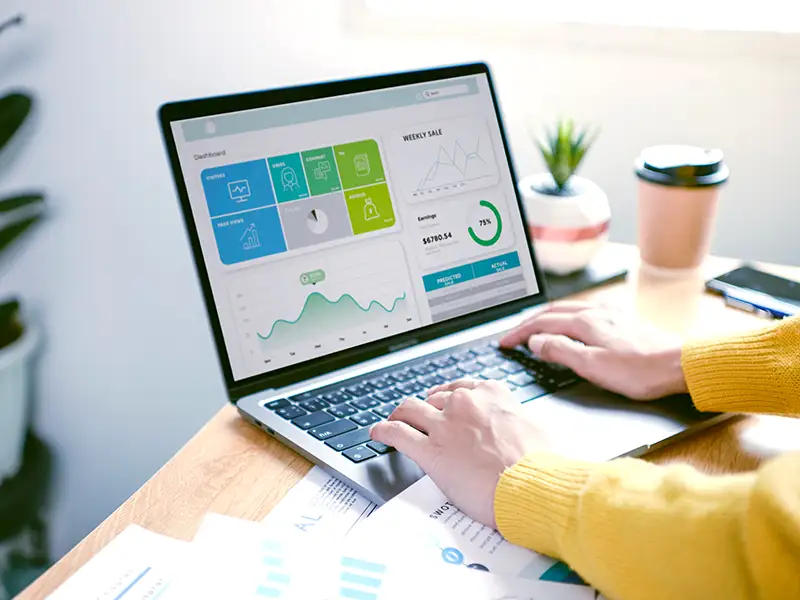
Check your dashboard weekly:
- How many leads are converting?
- Which messages get the most replies?
- Where are people dropping off?
Adjust based on data — not guesswork.
Common CRM Mistakes Small Businesses Make (And How to Avoid Them)
Even with the best tools, mistakes happen. Here are the most common ones — and how to fix them:
Not Training Your Team
Even if it’s just you, take time to learn the system. Use tutorials or hire a consultant for setup.
Over-Automating
Don’t let automation feel robotic. Mix automated messages with personal touches.
Ignoring Data
Your CRM gives you insights — use them. If leads aren’t responding, change your message.
Using It Inconsistently
Set a routine. Check your CRM daily. Respond to messages fast—update records.
How CRM Integrates with Your Full Marketing System
A CRM isn’t a standalone tool — it’s the hub of your digital strategy.
When connected properly, it works with:
- Your Website: Captures leads from contact forms
- Social Media: Tracks engagement and DMs
- Google & Meta Ads: Send ad leads directly to your CRM
- Email Marketing: Nurtures contacts with personalized content
- Google My Business: Syncs reviews and messages
This integration creates a closed-loop system where every interaction counts.
Real Results: How a CRM Helped a South Florida Business Scale
One of my clients, a personal trainer in Coral Gables, was struggling to book consistent clients.
She had:
- 500 Instagram followers
- Occasional DMs
- No system to follow up
We implemented a GoHighLevel CRM with:
- A lead capture form on her Instagram bio link
- A 3-day email + SMS sequence with fitness tips
- Automated calendar booking
Within 6 weeks:
- Leads increased by 200%
- Bookings went from 2–3/month to 15+
- She launched a group coaching program using CRM automation
All without hiring a team or spending more on ads.
Conclusion: Your Business Deserves a CRM
If you’re serious about growing your small business, a CRM for small businesses isn’t optional — it’s essential.
It’s not about replacing the personal touch.
It’s about freeing up your time so you can focus on what you do best — serving your clients.
Whether you’re just starting or ready to scale, now is the time to build a system that works for you.
Ready to Automate Your Business?
If you’re tired of chasing leads, missing follow-ups, or feeling overwhelmed by admin work, I can help.
As a digital marketing advisor with over 25 years of experience, I specialize in helping small businesses in South Florida implement CRM systems that generate leads, book appointments, and grow revenue — on autopilot.
👉 Schedule your free consultation today.
Let’s build your system together.
📲 +1 (954) 305-4001
💻 www.romannovoa.com
#CRMForSmallBusiness #GoHighLevel #MarketingAutomation #SouthFloridaBusiness